
Can LED Screens Show Data? A Guide for UK Sites
A departure board that updates late, a car park showing available spaces, a shopping centre promoting a live event, or a business park sharing safety notices all have one requirement in common: information must be current and readable at a glance. So, can LED screens show data? Yes. The right LED display can present live, scheduled and manually updated data in a format that is clear, reliable and appropriate for the audience viewing it.
The more useful question is whether the screen, software and data source have been specified properly for the job. A weather feed on a reception display has very different demands from live transport information on an outdoor roadside screen. Getting that distinction right at the start prevents wasted spend and helps ensure the display remains useful long after installation.
What data can an LED screen display?
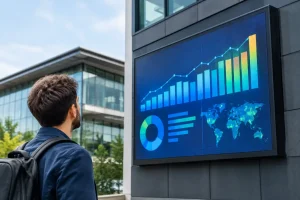
Full-colour LED screens can display far more than a static message or advertising artwork. They can combine text, graphics, video, images and changing information within the same content schedule. Depending on the software and connectivity in place, the information may be updated by a member of staff, pulled from an approved online source or supplied by an internal business system.
Common uses include live arrival and departure times, weather conditions, traffic updates, meeting room availability, production figures, event schedules, queue information, sales results and health and safety messages. In commercial settings, a screen may also display campaign performance, local offers or occupancy data alongside paid advertising.
The value lies in making information visible where it can influence a decision. A driver approaching a car park needs a simple space count. A visitor in a leisure venue may need the next session time, ticket availability and wayfinding. A facilities manager may need an internal dashboard that makes building information easier to act on.
Can LED screens show live data reliably?
They can, provided the live feed is dependable and the system has been designed with sensible fallbacks. An LED screen is the visual end point of a wider arrangement. The source must produce accurate information, the software must interpret it correctly, and the screen needs a suitable connection to receive updates.
Live data can reach a display through a web-based feed, an application programming interface, a spreadsheet, a database, a sensor network or a bespoke integration. For example, car park sensors can send available-space figures to signage at an entrance. A venue booking platform can feed event times to screens around the site. A transport operator can send service updates to a passenger information display.
Not every application needs second-by-second updating. For many organisations, scheduled updates every few minutes or hourly changes are entirely appropriate. This can reduce complexity and cost while still providing genuinely useful information. The required update frequency should be agreed before the screen is specified, rather than assumed after it has been installed.
A professional system should also have a default message ready for occasions when a feed is unavailable. Rather than leaving a blank screen or displaying an outdated figure, the display can switch to a branded holding message, advertising content or a clear notice that information is being refreshed. This protects the user experience and maintains confidence in the display.
Data needs to be readable, not merely available
A common mistake is to treat an LED screen like a desktop monitor. Public-facing displays are often viewed from a distance, while people are walking, driving or standing in changing light conditions. The amount of information that can be technically displayed is not the same as the amount people can absorb.
For outdoor roadside and high-footfall environments, short messages, large figures and strong contrast tend to work best. A car park availability screen does not need a detailed table. It needs a highly visible number, a clear label and, where relevant, an obvious direction. Similarly, live advertising or promotional messages should not compete with essential operational data on the same screen.
Pixel pitch, screen size, viewing distance and ambient light all affect legibility. A fine-pitch display may be suitable for a close-viewed indoor reception area, while a larger-pitch outdoor LED billboard is often the practical choice for viewers further away. Brightness must also be matched to the environment. An outdoor screen needs to remain visible in daylight without becoming distracting or uncomfortable after dark.
Content design matters just as much. Use clear typefaces, adequate spacing and a logical hierarchy. Avoid small text, busy backgrounds and rapid transitions when the audience only has a few seconds to look. Data should support the message, not make it harder to understand.
Choosing the right data source and software
The best setup depends on who owns the data and who will be responsible for it day to day. A straightforward internal display may only require authorised staff to update messages through a content management system. A more advanced system might need to connect with existing booking, transport, building management or sensor platforms.
Before selecting software, establish who will maintain the data, how often it changes and what happens if there is an error. It is also worth confirming whether the information is already available in a usable format. Some systems provide a clean data feed; others may require additional development before they can communicate with digital signage.
For multi-site organisations, central management can be particularly valuable. It allows approved teams to update content across several locations, schedule messages by time or site, and keep branding consistent. Local managers can still retain the ability to make approved changes where operationally necessary.
Security should be considered early. Screens that display internal performance information, visitor numbers or operational status need appropriate access controls. The connection method, user permissions and approval process should reflect the sensitivity of the information being shown.
Planning an LED data display for the real environment
The screen itself must be built for its location. Outdoor installations require weather protection, an appropriate cabinet design, safe structural mounting and consideration of wind loading, access and electrical supply. Indoor systems may have different constraints, such as ceiling height, viewing angles, wall construction and the level of ambient lighting.
Connectivity is another practical consideration. A fixed wired connection is often preferred where available, but mobile connectivity can be suitable for sites where cable routes are difficult or costly. The important point is not to choose a connection type in isolation. It should be assessed alongside the criticality of the data, the site environment and the expected maintenance arrangements.
A site survey is where these decisions become grounded in reality. It identifies suitable screen positions, assesses viewing distances and checks access for installation and future servicing. It can also reveal issues around planning, landlord permissions, power capacity and the route for data cables before they affect the programme.
For public-facing displays, content governance deserves attention too. Decide who can publish information, whether messages need approval and how urgent updates will be handled. A well-managed system gives teams enough flexibility to respond quickly without creating inconsistent or inaccurate communications.
When LED screens are the right choice for data
LED displays are particularly effective where data must be seen by many people at once, at a distance or in difficult lighting conditions. They are well suited to car parks, transport environments, shopping centres, sports and leisure venues, business parks, industrial sites and roadside locations.
They may not be the right answer for every data task. If users need to search records, complete forms or study detailed reports, an interactive kiosk, desktop system or mobile application may be more appropriate. LED screens work best when the objective is to communicate key information quickly and visibly to a shared audience.
For commercial operators, the same display can often support more than one purpose. During peak periods it may show live operational information; at other times it can promote on-site services, tenant offers or paid advertising. The balance must be planned carefully so that critical messages always take priority.
A properly specified system makes data more useful
The difference between an impressive display and a dependable communications tool is rarely the screen alone. It is the quality of the consultation, the suitability of the design, the integration of the data source and the support available once the system is live.
LEDsynergy Billboards approaches these projects as complete display solutions, considering the screen, location, content, connectivity and practical operation together. That helps businesses avoid an off-the-shelf purchase that looks promising on paper but proves difficult to manage on site.
If your organisation has information that people need to see quickly, the most productive starting point is not simply choosing a screen size. It is deciding what action the data should prompt, who needs to see it and how dependable it must be when it matters most.


I would recommend LED Synergy to anyone considering purchasing an LED sign. We have had so many compliments since it was installed and it has been a valuable asset.
Tom Hughes
OSI Food Solutions