
Best Digital Signage Platforms for UK Sites
A digital screen is only as useful as the system controlling it. The best digital signage platforms make it straightforward to publish the right message, to the right screen, at the right time – whether that is an advertising campaign on an outdoor billboard, wayfinding in a business park or promotions across a retail estate.
For UK organisations investing in commercial LED displays, the question is not simply which content management system has the longest feature list. It is which platform will work reliably with the chosen screen, suit the people managing content and remain practical as the network grows. Getting that decision right at the specification stage prevents avoidable disruption after installation.
What the best digital signage platforms have in common
A worthwhile platform gives authorised users secure, practical control over display content from a central location. At a minimum, it should allow teams to schedule images, video and messages by screen, date and time, while confirming that content has reached the player successfully.
For a single reception display, a simple web-based system may be entirely sufficient. A landlord operating screens across several properties will usually need user permissions, separate content zones, campaign scheduling and a clear audit trail. An advertising network may also require proof-of-play reporting, so advertisers can see when booked campaigns were displayed.
The strongest platforms are not necessarily the most complicated. They are dependable, clearly structured and matched to the operational need. Marketing teams should be able to update a promotion without technical assistance, while facilities teams need confidence that a player can recover automatically following a power or network interruption.
There are several features that deserve proper attention during comparison:
- Central content scheduling, including dayparting and recurring campaigns
- Remote screen and media-player monitoring, with meaningful fault alerts
- Role-based access so agencies, tenants or local managers only see relevant screens
- Support for content templates, video, live data and approved third-party integrations
- Reporting that reflects actual playback rather than merely scheduled content
A platform may offer all of these functions, but how well they are implemented matters more than a brochure checklist. Ask to see the publishing process, the screen-status view and the reporting output using scenarios that reflect your own site.
The main types of digital signage platform
Simple cloud CMS platforms
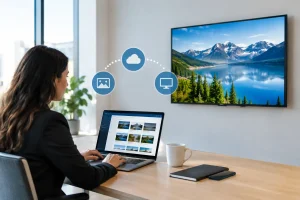
Cloud-based platforms are a sensible choice for many retail, leisure, education and corporate environments. They are accessed through a browser, require no local server and can make scheduled updates available to multiple sites quickly. They are often well suited to organisations where a small marketing or communications team manages content directly.
Platforms in this category can be cost-effective and easy to learn, particularly where the programme consists of standard promotions, notices and branded messages. The trade-off is that some lower-cost options have limited support, fewer integration choices or less detailed monitoring. That can become significant when displays are public-facing, revenue-generating or located where a site visit is costly.
Enterprise and advertising-network platforms
Larger screen estates generally need more control. Enterprise platforms can support granular permissions, complex playlists, automated data feeds, campaign reporting and management across hundreds or thousands of endpoints. They are commonly considered for transport, large commercial property portfolios, retail groups and digital out-of-home advertising networks.
SignageLive, Navori and Scala are among the established names often assessed for larger or more demanding projects. Their suitability depends on the required integrations, reporting detail, player hardware and the support model behind the deployment. A powerful enterprise CMS can be excellent value where it removes manual work and provides reliable oversight, but it may be unnecessary for a modest single-site installation.
Template-led communications platforms
Some platforms place particular emphasis on content creation. TelemetryTV and Yodeck, for example, are often considered by organisations that want templates, simple playlist management and quick updates without relying on a design agency for every message.
This approach can work well for staff communications, menus, retail offers and internal information screens. It should still be assessed carefully for commercial LED applications. A platform that is easy to use needs to handle the display’s native resolution, orientation, brightness conditions and video requirements correctly. Attractive content on a desktop preview is not always effective on a large outdoor screen.
Comparing platforms for your site, not someone else’s
The right comparison starts with the audience and the operating environment. A town-centre roadside billboard has different demands from an indoor shopping-centre display. Outdoor screens need content that remains legible at distance, a reliable player and connectivity planned around the site. Indoor screens may place greater emphasis on wayfinding, local promotions and integration with booking, visitor or queue-management systems.
Start by identifying who will create content, who will approve it and who will deal with an issue out of hours. This reveals whether you need a highly managed service or a platform that a local team can operate independently. It also clarifies the importance of training, user permissions and support response times.
Then consider the commercial purpose of the display. If advertising space is being sold, campaign booking, proof of play and the ability to separate advertiser access are central requirements. If the display supports a venue or business park, integrations with event calendars, weather, transport updates or property information may add more value than advanced advertising tools.
Connectivity is another practical consideration. Cloud platforms depend on a stable route to the internet, although professional players can store approved content locally to keep displays running during a temporary outage. Mobile connectivity may suit isolated locations, but data allowances, signal strength and ongoing costs must be planned properly. It is better to address these details before installation than to treat them as an afterthought.
Screen compatibility and player hardware matter
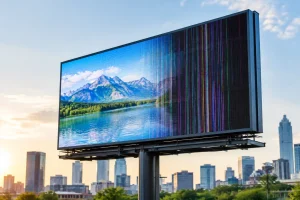
Digital signage software does not operate in isolation. The media player, LED controller, screen resolution and network design all affect day-to-day performance. A platform should be tested with the proposed hardware, particularly for bespoke LED displays, unusual aspect ratios, high-resolution canvases and 3D billboard content.
A standard portrait or landscape screen may be compatible with a wide range of players. A large-format LED billboard can require more careful configuration to ensure content scales cleanly, plays smoothly and fills the full display area. Video frame rates, file formats and image dimensions should be agreed in advance, rather than left to the content team to discover later.
For this reason, a supplier that understands both the display and the control system can reduce project risk. At LEDsynergy Billboards, software and connectivity considerations are addressed as part of the wider screen specification, installation and commissioning process. That joined-up approach helps make sure the platform is appropriate for the finished system, not simply selected in isolation.
Questions to ask before committing
A useful platform demonstration should answer practical questions, not just show attractive templates. Can an operator schedule content to a specific display in minutes? Can the system prove what played and when? What happens if connectivity fails? How are software updates managed, and who provides support when an issue involves both the player and the screen?
Also ask about ongoing costs. Subscription fees may be charged per player, per screen or by feature level. These costs should be compared over the expected life of the display, alongside any charges for additional users, reporting modules, data integrations or technical support. The cheapest monthly licence is not always the lowest-cost choice if it creates manual work or leaves the site without dependable assistance.
A short pilot can be valuable for multi-site projects. Testing a representative display, player and content workflow allows teams to check usability before standardising across an estate. It also gives procurement teams evidence that the proposed system meets operational needs.
Choose a platform that supports the investment
The best platform is the one that makes your digital display easier to run, easier to trust and more valuable to the people who see it. Focus on the content workflow, support arrangements and technical fit as closely as the software features. With those foundations in place, your screens can remain a dependable part of site communications and commercial activity for years to come.

I would recommend LED Synergy to anyone considering purchasing an LED sign. We have had so many compliments since it was installed and it has been a valuable asset.
Tom Hughes
OSI Food Solutions