
How to Configure Remote Screen Monitoring
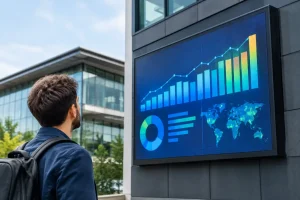
A digital billboard can be in the right location, showing the right campaign, and still lose value if a fault goes unnoticed for hours. The ability to configure remote screen monitoring gives operators a practical way to keep sight of screen health, playback and connectivity without sending someone to site for every check.
For property operators, venue managers and multi-site businesses, remote monitoring is not simply a technical add-on. It is part of protecting a high-visibility commercial asset. A well-configured system helps teams identify issues early, respond with the right information and maintain confidence among advertisers, tenants and visitors.
Why configure remote screen monitoring from the outset?
Outdoor LED billboards and public-facing digital displays work in demanding conditions. They may operate long hours, face changing weather, rely on site networking and display time-sensitive advertising or public information. A black screen, frozen image or missed content change can quickly become a commercial and reputational issue.
Remote monitoring gives an approved operator a view of the display system from another location. Depending on the screen, control platform and connectivity arrangement, this may include the operating status of the player, receiving cards, power supplies, temperature, network connection and scheduled content. The objective is not to replace physical maintenance. It is to make maintenance more informed, and to prevent minor faults from becoming prolonged outages.
The most effective approach begins during the design and commissioning of the display, rather than after a problem has occurred. Monitoring requirements affect the choice of player, network hardware, access method and the information a support team can retrieve remotely. Getting this right first time avoids unnecessary site visits and awkward workarounds later.
Define what the screen needs to report
Before selecting settings, agree what an actionable alert looks like for your operation. A facilities team responsible for several business parks will need different information from a marketing team managing a single retail display. More data is not automatically better. If a dashboard produces constant low-priority warnings, the alerts that genuinely matter can be missed.
Start with the conditions that would affect audience visibility, advertising commitments or safe operation. In most commercial LED installations, this includes loss of communications, display offline status, abnormal cabinet temperature, power problems, player failure and content playback errors. It can also be useful to monitor storage capacity, software status and the last time the screen successfully checked in.
Set clear thresholds with the installation partner. For example, a brief network interruption may only need logging, while a screen that remains offline beyond an agreed period should generate an immediate notification. Temperature warnings also need sensible limits based on the screen enclosure, ambient conditions and ventilation design. A threshold that is too sensitive creates nuisance alerts; one that is too high may provide little opportunity to act.
Separate screen health from content approval
A screen can be technically healthy while showing an outdated campaign, an incorrectly scheduled message or the wrong creative. Treat operational monitoring and content management as connected but separate responsibilities.
The person who approves advertising content does not necessarily need access to technical configuration. Likewise, an engineer investigating a communications fault should not be able to publish unapproved material. Clear user roles reduce the risk of accidental changes and make accountability much easier when several people use the system.
Build a reliable connection to the display
Remote access depends on a dependable route between the screen and the authorised user. The right option will depend on the site, available infrastructure and the importance of continuous access. A display inside a shopping centre may connect through a managed local network, whereas a roadside billboard may be better served by a dedicated mobile data connection or another independently managed service.
Avoid assuming that an existing building network is suitable simply because it has internet access. Public Wi-Fi is not an appropriate solution for a commercial display system. Shared networks can be subject to changing rules, restricted ports, bandwidth contention and unplanned maintenance. These issues may not be obvious until the display is commissioned or a content update fails at a critical time.
A site survey should establish where the network hardware will sit, how it will be powered, whether the signal is dependable and who controls the connection. It should also consider practical matters such as weatherproof enclosures, cable routing, access for servicing and what happens after a local power interruption. For high-value advertising locations, a backup connection can be worthwhile, but its cost should be weighed against the likely commercial impact of downtime.
Use secure access, not convenience-led access
Remote monitoring should be configured with security as a design requirement. Default passwords should be changed before handover, each user should have their own account where the platform allows it, and access should be removed promptly when staff or contractors no longer require it.
Where possible, use encrypted connections, multi-factor authentication and a secure remote-access method approved by the organisation’s IT team. Do not expose screen controllers directly to the public internet simply to make remote access easier. The display system may be part of a wider property network, so a poorly secured controller can create risks beyond the screen itself.
Document who owns the connection, the software licences, user accounts and recovery credentials. This can sound administrative, but it prevents a common problem: a display remains installed and operational, yet nobody can access its monitoring platform because the original account holder has moved on.
Configure alerts people can act on
The value of monitoring lies in the response, not just the notification. Decide who receives alerts, at what time, and what they are expected to do. A facilities helpdesk may be the first point of contact during working hours, while a specialist support provider may need to receive critical faults that threaten a key campaign outside those hours.
Use a simple escalation plan for the most important scenarios. A loss of connection should first be checked against the site router and power status. A player fault may require a remote restart, followed by a local inspection if it does not recover. A temperature warning should prompt checks of ventilation, filters and environmental conditions rather than repeated resets.
A practical monitoring set-up usually covers these areas:
- Screen online or offline status, including the time of the last successful communication.
- Player and content playback status, so failed schedules are identified promptly.
- Temperature, power and cabinet-level warnings that may indicate an emerging hardware issue.
- Network availability and data usage, particularly where mobile connectivity is used.
- Alert recipients, escalation timings and a record of actions taken.
Keep notifications proportionate. Send urgent alerts by the route most likely to be seen promptly, and reserve routine reports for planned review. Weekly status reports can be valuable for identifying recurring connection issues or components that need attention, but they should not replace real-time alerts for a display that has gone dark.
Test the system before it is needed
Commissioning should include more than confirming that the screen lights up and content plays. Test remote monitoring under controlled conditions. Check that the platform identifies a disconnection, records a player restart and sends alerts to the intended people. Confirm that the displayed screen name and site location are unambiguous, especially where an operator manages several displays.
It is also sensible to test the limits of remote intervention. A restart may resolve a temporary software issue, but it will not fix a failed mains supply, damaged cable or physical component fault. Knowing what can be resolved remotely helps teams act quickly without promising an unrealistic recovery time.
Record the installation details in a handover pack: screen model and serial numbers, controller configuration, network arrangement, user roles, alert settings, maintenance contacts and site access requirements. This record becomes particularly useful years later, when staff change or the display estate expands.
Review performance as the display estate changes
Monitoring settings should not remain untouched after commissioning. New campaigns, altered opening hours, a change of network provider or the addition of further screens can all affect what good monitoring looks like. Review alert history periodically. If the same warning appears repeatedly, investigate the underlying cause rather than merely acknowledging it.
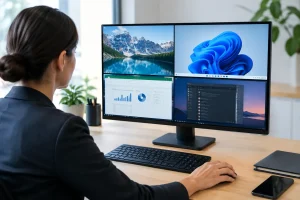
For multi-site installations, consistent naming, reporting and support procedures are essential. A dashboard is only useful when operators can quickly tell which location is affected, how serious the issue is and whether another team is already dealing with it. Standardisation makes a growing display network far easier to manage.
Remote monitoring works best when it is planned alongside the screen, connectivity and support arrangement. With a properly configured system and clear responsibilities, your team can spend less time wondering whether a display is performing and more time making the most of the audience it reaches.

I would recommend LED Synergy to anyone considering purchasing an LED sign. We have had so many compliments since it was installed and it has been a valuable asset.
Tom Hughes
OSI Food Solutions